
Grafana data source plugin for Chaos Mesh.
This plugin requires Chaos Mesh >=2.1, Grafana >=12.4.14.
- Displaying Chaos events in a table visualization
- Support Variables to filter Chaos events
- Support Annotations to annotate Chaos events on the panel
https://grafana.com/docs/grafana/latest/administration/plugin-management/#install-a-plugin
grafana-cli plugins install chaosmeshorg-datasourceDownload the plugin zip package with the following command or go to https://github.com/chaos-mesh/datasource/releases to download:
curl -LO https://github.com/chaos-mesh/datasource/releases/download/v3.0.0/chaosmeshorg-datasource-3.0.0.zipAfter downloading, unzip:
unzip chaosmeshorg-datasource-3.0.0.zip -d YOUR_PLUGIN_DIRThen update and save the grafana.ini file:
[plugins]
  allow_loading_unsigned_plugins = chaosmeshorg-datasource
Finally, restart Grafana to load the plugin.
Once installed, go to Administration -> Data sources and add Chaos Mesh, then go to the configuration page:
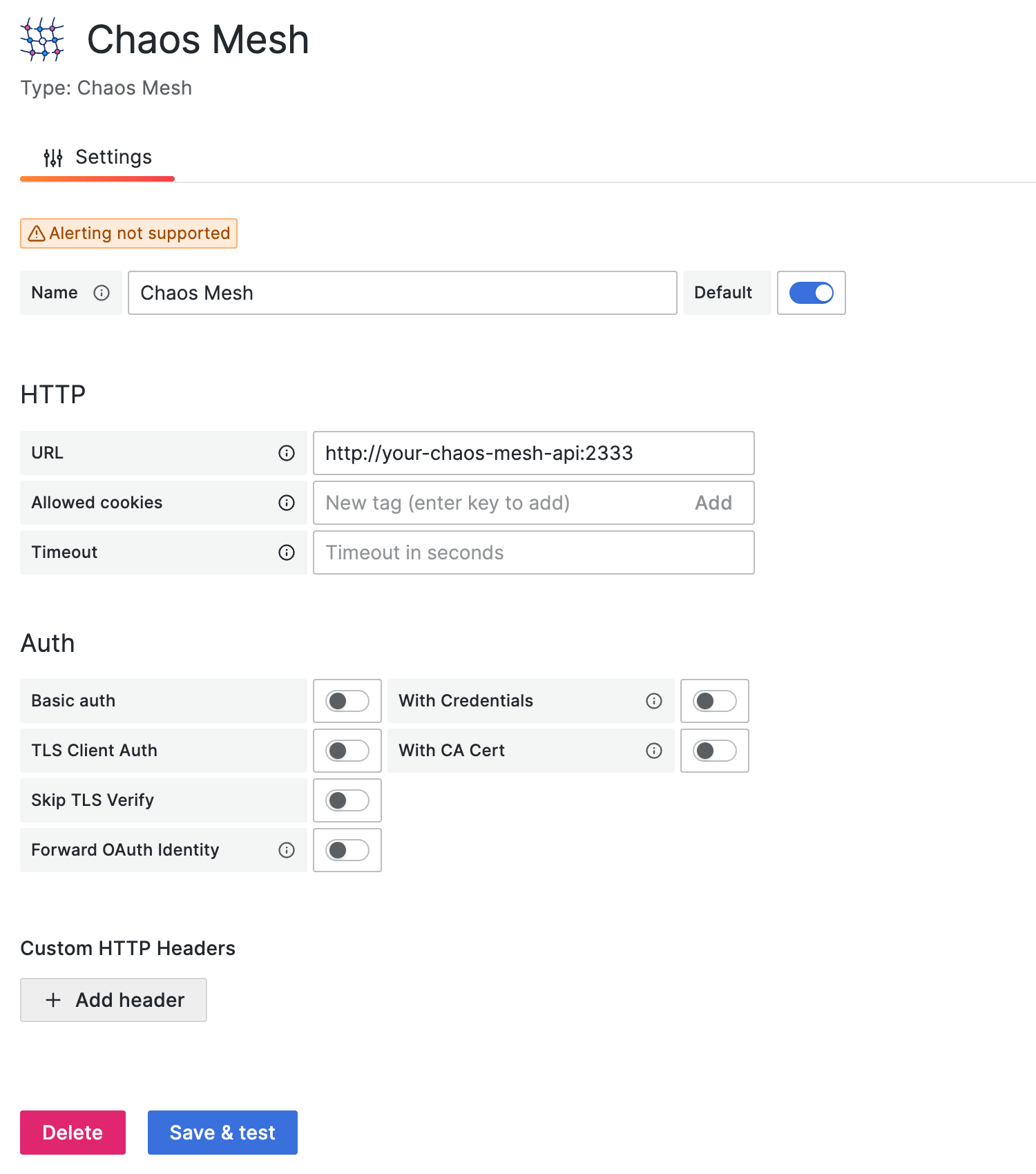
Assuming you have Chaos Mesh installed locally, the Chaos Dashboard will export the API on port 2333 by default. So, if you haven't changed anything, you can fill in http://localhost:2333.
Then use the port-forward command to make the API externally accessible:
kubectl port-forward -n chaos-mesh svc/chaos-dashboard 2333:2333Finally, click Save & test to test the connection. If it shows a successful notification, the setup is complete.
If you deploy Chaos Mesh with permission authentication, you need to add the Authorization header to the configuration.
You can follow the steps below to add the header:
- Click the Add header button.
- Fill in the
Authorizationin the Header field. - Follow this section to get the token.
- Fill in the
Bearer YOUR_TOKENin the Value field.
Then don't forget to click Save & test to test the connection.
The data source plugin looks at the Chaos Mesh through the lens of events, and the following options are responsible for filtering the different events:
-
Object ID
Filter by object uuid.
-
Namespace
Filter by different namespace.
-
Name
Filter by object name.
-
Kind
Filter by kind (PodChaos, NetworkChaos, Schedule...). You can also input an arbitrary kind if you implement a new kind in Chaos Mesh.
-
Limit
Return at most this many events, newest first, across all selected variable values. Leave empty or use a negative integer for no limit. Use
0to return no events.
The Object ID, Namespace, Name, and Kind filters are passed as parameters to the /api/events API.
The data source plugin supports adding query variables by different metrics:
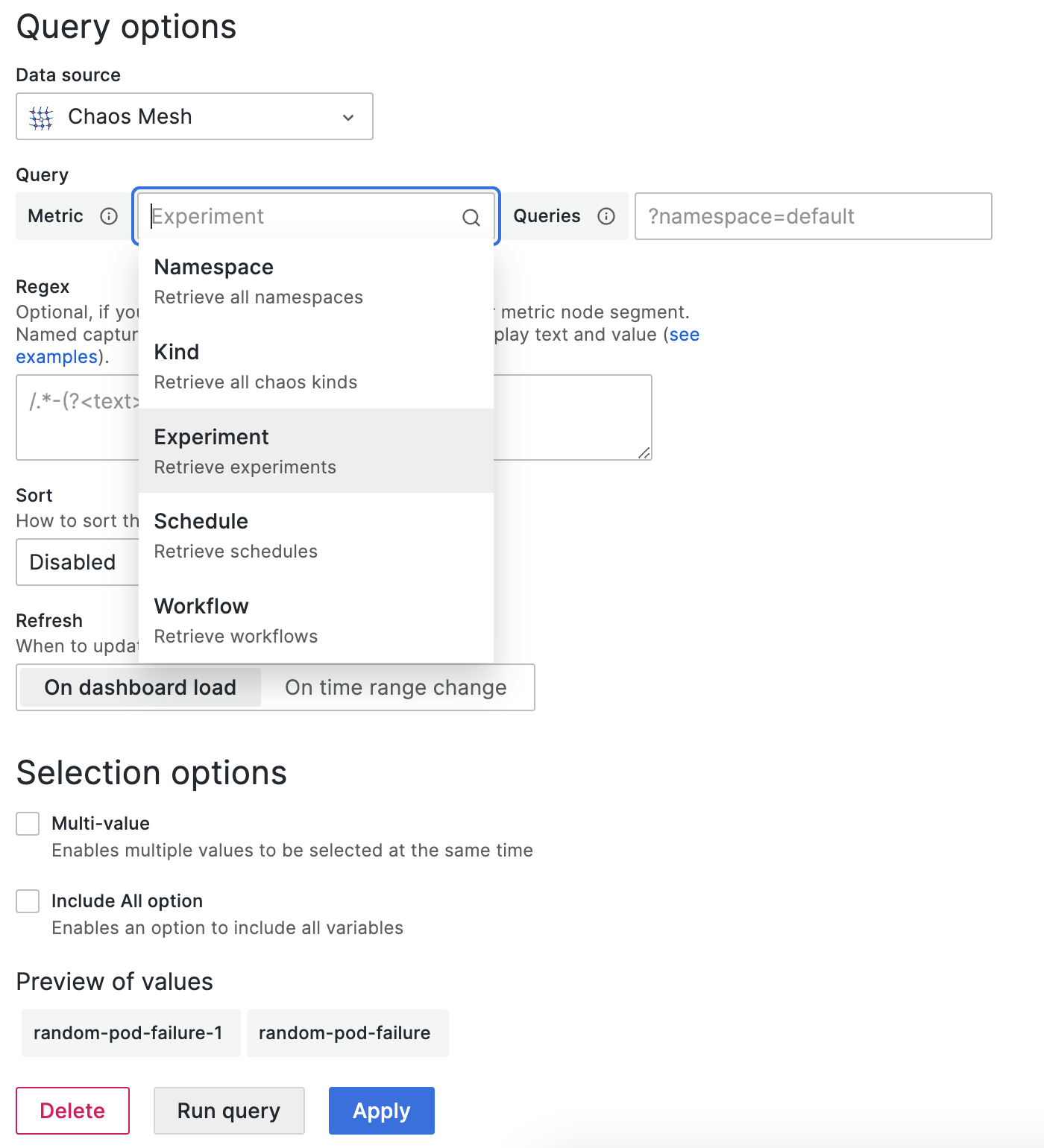
-
Namespace
After selection, all available namespaces will show in the Preview of values directly.
-
Kind
Same as Namespace. Retrieve all kinds.
-
Experiment/Schedule/Workflow
Same as Namespace. Retrieve current all experiments/schedules/workflows.
You can also specify the
queriesto further filter the values, for example,?namespace=defaultwill only retrieve the experiments/schedules/workflows in thedefaultnamespace.
You can integrate events into panels via annotations, the following is a sample creation, it will retrieve all PodChaos events:
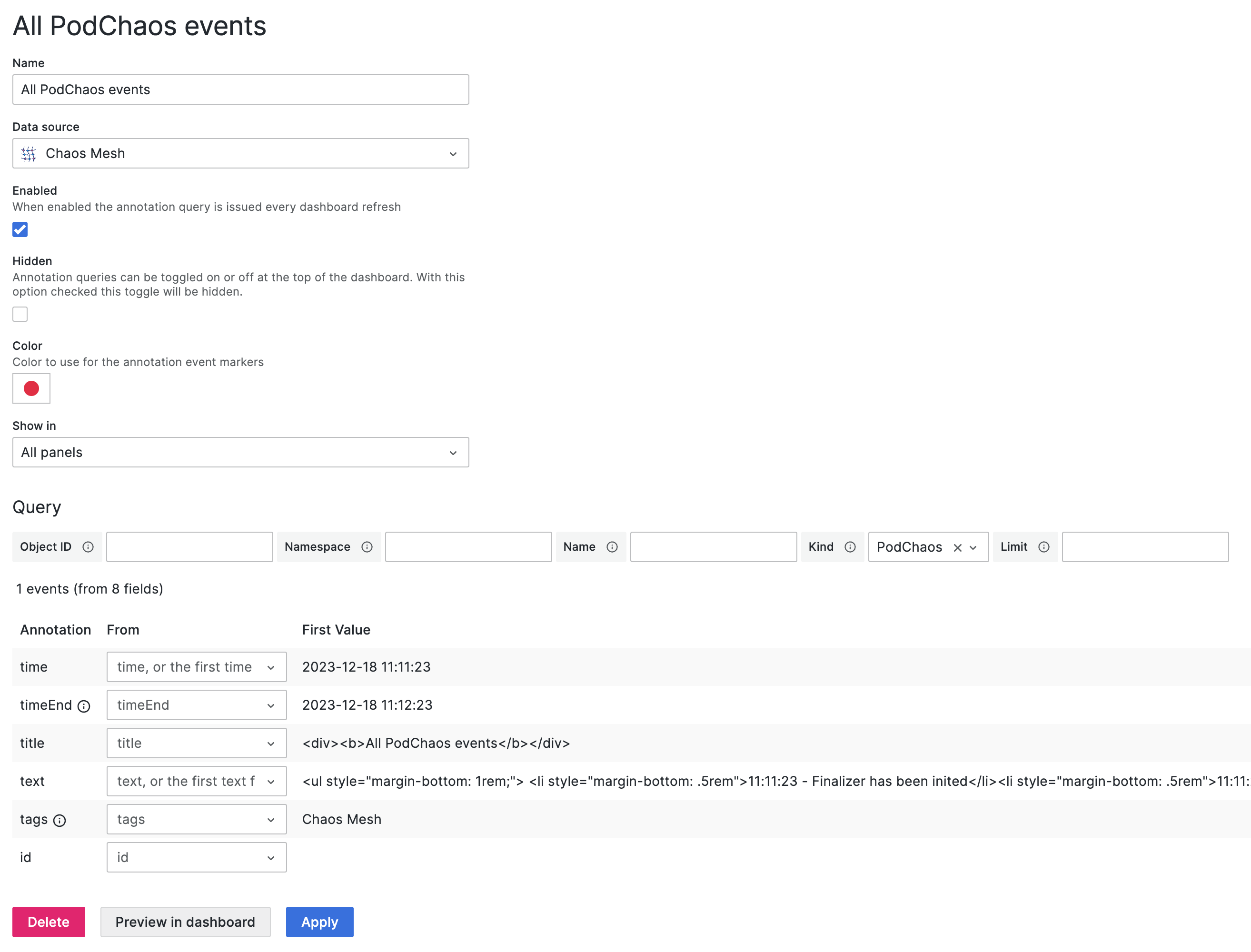
Please refer to Query to fill in the corresponding fields.
Pull a request or open an issue to describe your changes or problems.
Same as Chaos Mesh. Under the Apache-2.0 License.