sbomgr is a grep like command line utility to help search the SBOM repository based on criteria like the name, checksum, CPE, and PURL.
go install github.com/interlynk-io/sbomgr@latestother installations options
Get started with SBOM compliance in under two minutes — no credit card, no time limit. Interlynk's free plan includes a guided setup where you pick your compliance standard (CRA/EU, FDA Cybersecurity, NTIA, or Telecom), upload your SBOM, and instantly see your compliance score with actionable gaps highlighted. You get compliance scoring against one standard, up to 5 products with 5 versions each, unlimited users, built-in vulnerability detection, API access for CI/CD integration, weekly compliance digests, and ShareLynk — a public link to share your compliance posture with customers and partners. Everything beyond the free tier is visible with a clear upgrade path, and you can start a 15-day Enterprise trial anytime to unlock unlimited products, SBOM automation, RBAC, analytics, license management, and workflow integrations. Get Started Free →
📊 Check your SBOM compliance instantly directly from your browser in just one click: https://demo.interlynk.io/
Search for packages with exact name matching "abbrev".
sbomgr packages -N 'abbrev' <sbom file or dir>Search for packages with regexp name matching "log4"
sbomgr packages -EN 'log4' <sbom file or dir>Search for packages in air gapped environment for name matching "log4"
export INTERLYNK_DISABLE_VERSION_CHECK=true sbomgr packages -EN 'log4' <sbom file or dir>- SBOM format agnostic and currently supports searching through SPDX and CycloneDX.
- Blazing Fast 🚀
- Output search results as jsonl.
- Supports RE2 regular expressions
sbomgr can answer some of the most common SBOM use cases by searching an SBOM file or SBOM repository.
➜ sbomgr packages -c ~/data/sbom-repo/docker-images
sbom_files_matched: 86
packages_matched: 33556➜ sbomgr packages -cEN 'zlib' ~/data/sbom-repo/docker-images
sbom_files_matched: 71
packages_matched: 145➜ sbomgr packages -c -H '5c260231de4f62ee26888776190b4c3fda6cbe14' ~/data/sbom-repo/docker-images
sbom_files_matched: 2
packages_matched: 2➜ sbomgr packages -jrE -N '\.zip$' ~/data/ | jq .
{
"path": "/home/riteshno/data/spdx-trivy-circleci_clojure-sha256:d8944a6b1bec524314cf4889c104b302036690070a5353b64bb9d11b330e8c76.json",
"format": "json",
"spec": "spdx",
"product_name": "circleci/clojure@sha256:d8944a6b1bec524314cf4889c104b302036690070a5353b64bb9d11b330e8c76",
"packages": [
{
"name": "org.clojure:data.zip",
"version": "0.1.3",
"purl": "pkg:maven/org.clojure/data.zip@0.1.3"
}
],
"matched": true
}➜ sbomgr packages -jl ~/data/some-sboms/julia.spdx | jq .
{
"path": "/home/riteshno/data/some-sboms/julia.spdx",
"format": "tag-value",
"spec": "spdx",
"product_name": "julia-spdx",
"packages": [
{
"name": "Julia",
"version": "1.8.0-DEV",
"license": [
{
"name": "MIT License",
"short": "MIT"
}
]
},➜ sbomgr packages -qN 'abbrev' ~/tmp/app.spdx.json
➜ echo $?
0
➜ sbomgr packages -qN 'abbrev-random' ~/tmp/app.spdx.json
➜ echo $?
1sbomgr packages -O 'toolv,tooln,pkgn,pkgv' ~/tmp/app.spdx.json
2.0.88 Microsoft.SBOMTool Coordinated Packages 229170
2.0.88 Microsoft.SBOMTool chalk 2.4.2
2.0.88 Microsoft.SBOMTool async-settle 1.0.0$docker run [volume-maps] ghcr.io/interlynk-io/sbomgr [command] [options]Example
$docker run -v ~/interlynk/sbomlc/:/app/sbomlc ghcr.io/interlynk-io/sbomgr packages -c /app/sbomlcUnable to find image 'ghcr.io/interlynk-io/sbomgr:latest' locally
latest: Pulling from interlynk-io/sbomgr
479c7812d0ff: Already exists
5b3064dc8fe2: Already exists
Digest: sha256:d359b7e6e2b870542500dc00967ca2c5a4e78c8f1658b5c6dbdc8330effe38f8
Status: Downloaded newer image for ghcr.io/interlynk-io/sbomgr:latest
A new version of sbomgr is available v0.0.6.
Matching file count: 3153
Matching package count: 716953
This section explains the flags relevant to the packages search feature. The packages search takes only a single argument, either a file or a directory. There are man flags which can be specified to control its behaviour.
-Nor--nameused for package/component name search.-Cor--cpeused for package/component cpe search.-Por--purlused for pacakge/component purl search.-Hor--checksumused for package/component checksum value search.
all of these match criteria are exclusive to each other.
-Eor--extended-regexpflag can be used to indicate if the match criteria is a regular expression. Syntax supported is https://github.com/google/re2/wiki/Syntax.
-ior--ignore-casecase insensitive matching.
-lor--licensethis includes the license of the package/component in the output.-qor--quietthis suppresses all output of the tool, the return value of the tool is 0 indicating success, if it finds the search criteria.--no-filenameremoves the filename from the output.-jor--jsonloutputs the search results in jsonl.-por--print-errorsincludes errors encoundered during searching. Default is to ignore them.-Oor--output-formatuser-defined output format. Options are listed belowfilen- filepathtooln- tool with which sbom was generated, only prints the first onetoolv- tool versiondocn- sbom document namedocv- sbom document versioncpe- package cpe, only prints the first one, indicates how many cpe's exists.purl- package purlpkgn- package namepkgv- package versionpkgl- package licensesspecn- spec of the sbom document, spdx or cdx.chkn- checksum namechkv- checksum valuerepo- repository urldirect- package is a direct dependency
-cor--countsuppresses the normal output and print matching counts of sbom filenames and packages.
-ror--recursewhen set, recursively scans all sub directories.
--spdxsearches only files which are SPDX.--cdxsearches only files which are CycloneDX.
- Search using files.
- Search using tool metadata.
- Search using CVE-ID.
- Search only direct dependencies.
- Search until a specified depth.
- Provide a list of malicious packages
- A sample set of SBOM is present in the samples directory above.
- SBOM Benchmark is a repository of SBOM and quality score for most popular containers and repositories
- SBOM Explorer is a command line utility to search and pull SBOMs
https://github.com/interlynk-io/sbomgr/releasesbrew tap interlynk-io/interlynk
brew install sbomgrgo install github.com/interlynk-io/sbomgr@latestThis approach involves cloning the repo and building it.
- Clone the repo
git clone git@github.com:interlynk-io/sbomgr.git cdintosbomgrfolder- make build
- To test if the build was successful run the following command
./build/sbomgr version
We look forward to your contributions, below are a few guidelines on how to submit them
- Fork the repo
- Create your feature/bug branch (
git checkout -b feature/new-feature) - Commit your changes (
git commit -am "awesome new feature") - Push your changes (
git push origin feature/new-feature) - Create a new pull-request
- SBOM Assembler - A tool for conditional edits and merging of SBOMs
- SBOM Seamless Transfer - A primary tool to transfer SBOM's between different systems.
- SBOM Quality Score - A tool for evaluating the quality and compliance of SBOMs
- SBOM Explorer - A tool for discovering and downloading SBOM from a public SBOM repository
- SBOM Benchmark is a repository of SBOM and quality score for most popular containers and repositories
We appreciate all feedback. The best ways to get in touch with us:
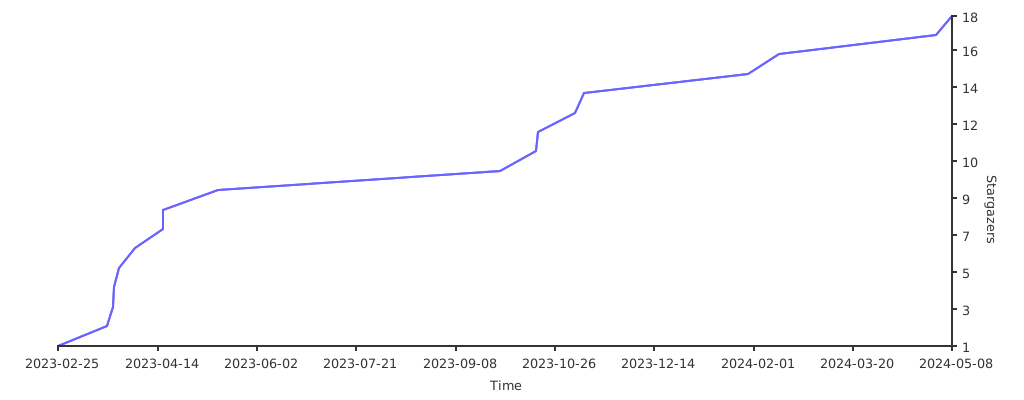
If you like this project, please support us by starring it.