

Flutter layouts for iPhone Duo and other foldables.
On iPhone Duo, FoldScaffold moves your navigation into the strip at the side
of the window, and FoldSplitView puts a list and its details on either side
of the fold when the device opens like a book. duo_kit only places widgets: the
navigation and the panes are your own, in whatever design your app has.
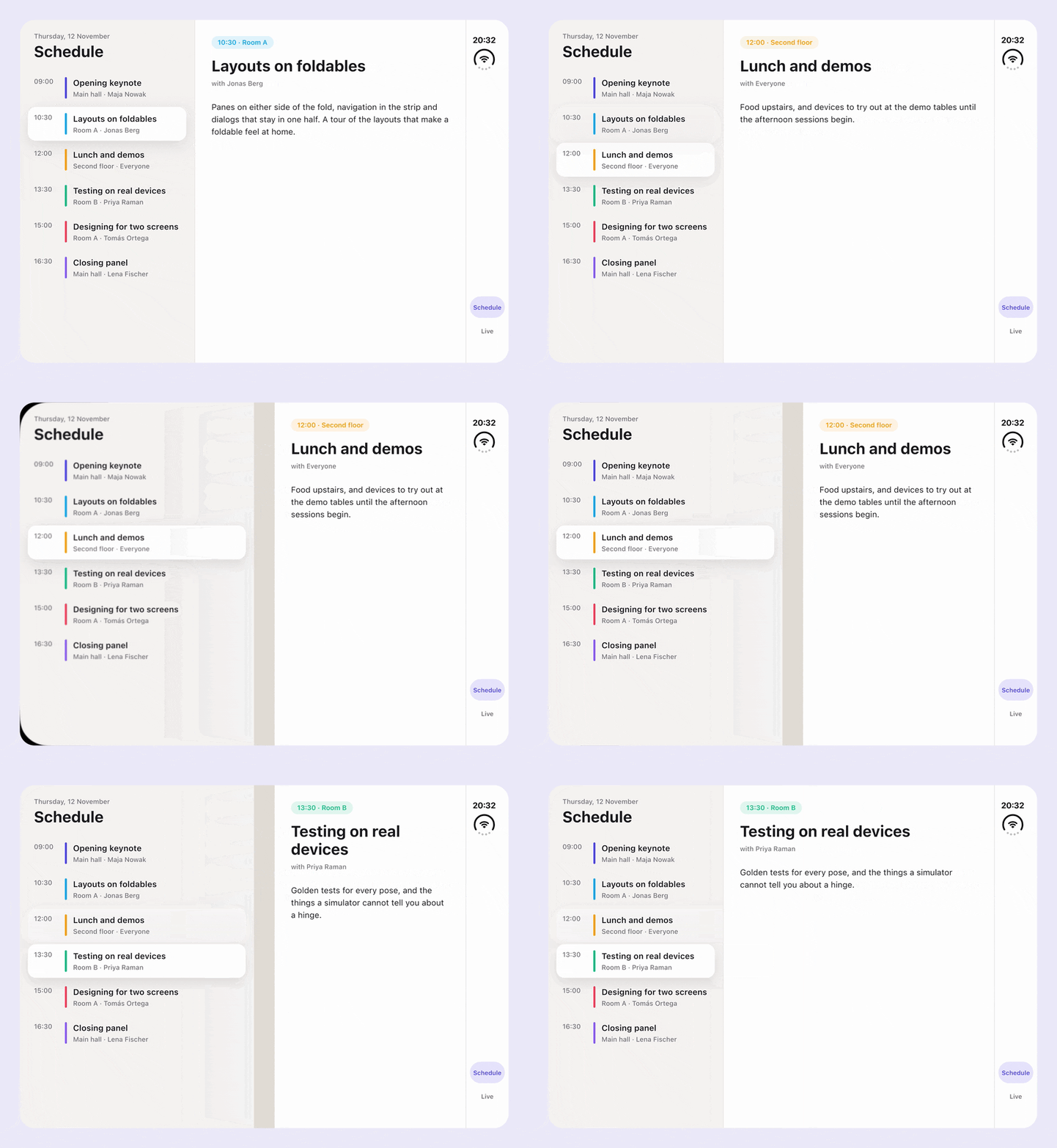
Folding the device changes the window under a running app. duo_kit handles the parts of that which are easy to miss:
- State survives folding and unfolding. Close the device, open it, fold it
half open: the body of
FoldScaffoldstays the same widget, and the panes ofFoldSplitViewcarry their state between the split and your own layout. Scroll positions and text in fields come through every pose. A pane your layout hides can keep its state too, see Two panes. - No double insets. The navigation gets the padding of where it sits, the
camera and the status cluster included, so a plain
SafeAreakeeps it clear. The body and each pane drop the insets of the edges they do not touch, so nothing leaves a gap next to the navigation or the fold. - The keyboard stays in its half. Across a horizontal fold only the pane below it makes room for the keyboard; the pane above stays as it is.
- Dialogs open in the right half. With
FoldAnchoran alert opens above a horizontal fold and media controls below it. A dialog opened while the device lies flat moves to its half once the device folds. - Two panes anywhere in the tree.
FoldSplitViewfinds the fold from below a top bar or on a page of aPageView, and follows it as the page scrolls. - Look-alikes are ignored. A fold at the edge of a window in Split View splits nothing, the camera cutout of an Android phone in landscape is not taken for a strip, and an occlusion left over from the previous pose is dropped.
- Right-to-left languages. The first pane and the dialogs move to the other side.
- No iPhone Duo needed. Switch poses on any device without losing the app state, and test against window metrics measured on iPhone Duo.
| Package | Version | |
|---|---|---|
duo_kit |
 |
Fold geometry, a scaffold, a split view and anchors for dialogs. Pure Flutter. |
duo_kit_ios |
In development | The iOS side: the fold, the camera, the status cluster, the hinge and the vertical bar of iPhone Duo, published to Flutter. |
Start with the duo_kit README, which covers the setup for iPhone Duo and every widget.
The repository is a pub workspace, with the Flutter version pinned by FVM:
fvm flutter pub get
cd packages/duo_kit && fvm flutter test
Each package has its own version, changelog and release.

These packages are built with 💙 by LeanCode. We are top-tier experts focused on Flutter Enterprise solutions.
- Creators of Patrol – the next-gen testing framework for Flutter.
- Full-Cycle Product Development – We take your product from scratch to long-term maintenance.