




Sogen runs Windows, Linux and macOS programs without a real operating system, and lets you see and control everything they do.
Instead of reimplementing thousands of OS APIs, Sogen emulates programs at the CPU and syscall level and runs the real system DLLs, so behavior closely matches the real OS.
Instructions, memory accesses, syscalls and API calls can be hooked, inspected or rewritten (the available hooks depend on the backend), runs can be made reproducible, and emulator state can be snapshotted and restored. Sogen is written in C++ and runs on the CPU backend that fits your use case, from full software emulation to hardware virtualization.
Try it in the browser at sogen.dev or join the community on Discord.
- Real system DLLs: runs the actual ntdll, kernel32 and user32, not reimplemented stubs
- Hook and rewrite: intercept and change memory, instructions, syscalls and API calls
- Faithful Windows internals: PE loading (relocations, TLS), Windows memory types, SEH, threading, the registry, filesystem and networking
- Snapshot and restore: process state snapshots, fast in-memory snapshots and minidump loading
- Runs everywhere: Windows, Linux, macOS, Android, iOS and the browser, on x86-64 and arm64
- Reproducible:
--reproduciblestubs clocks and other sources of nondeterminism where the backend supports it - Multiple backends: choose between isolation, speed and analysis depth per use case, see Backends
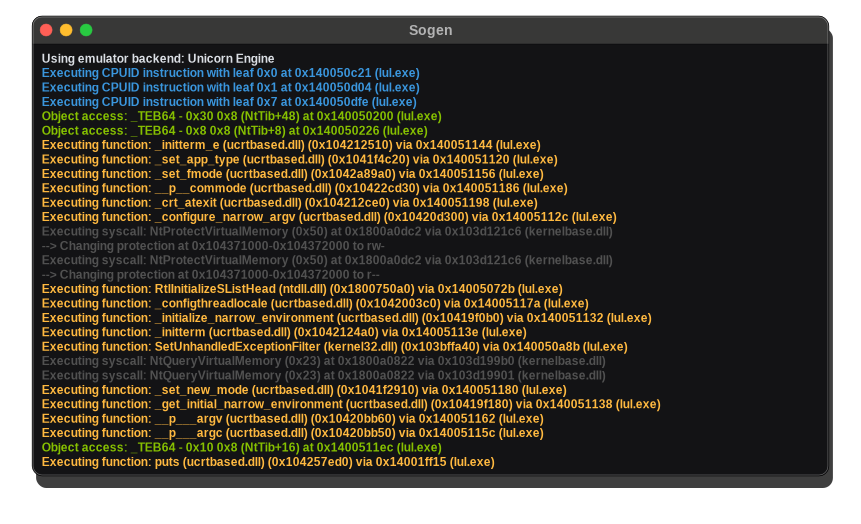
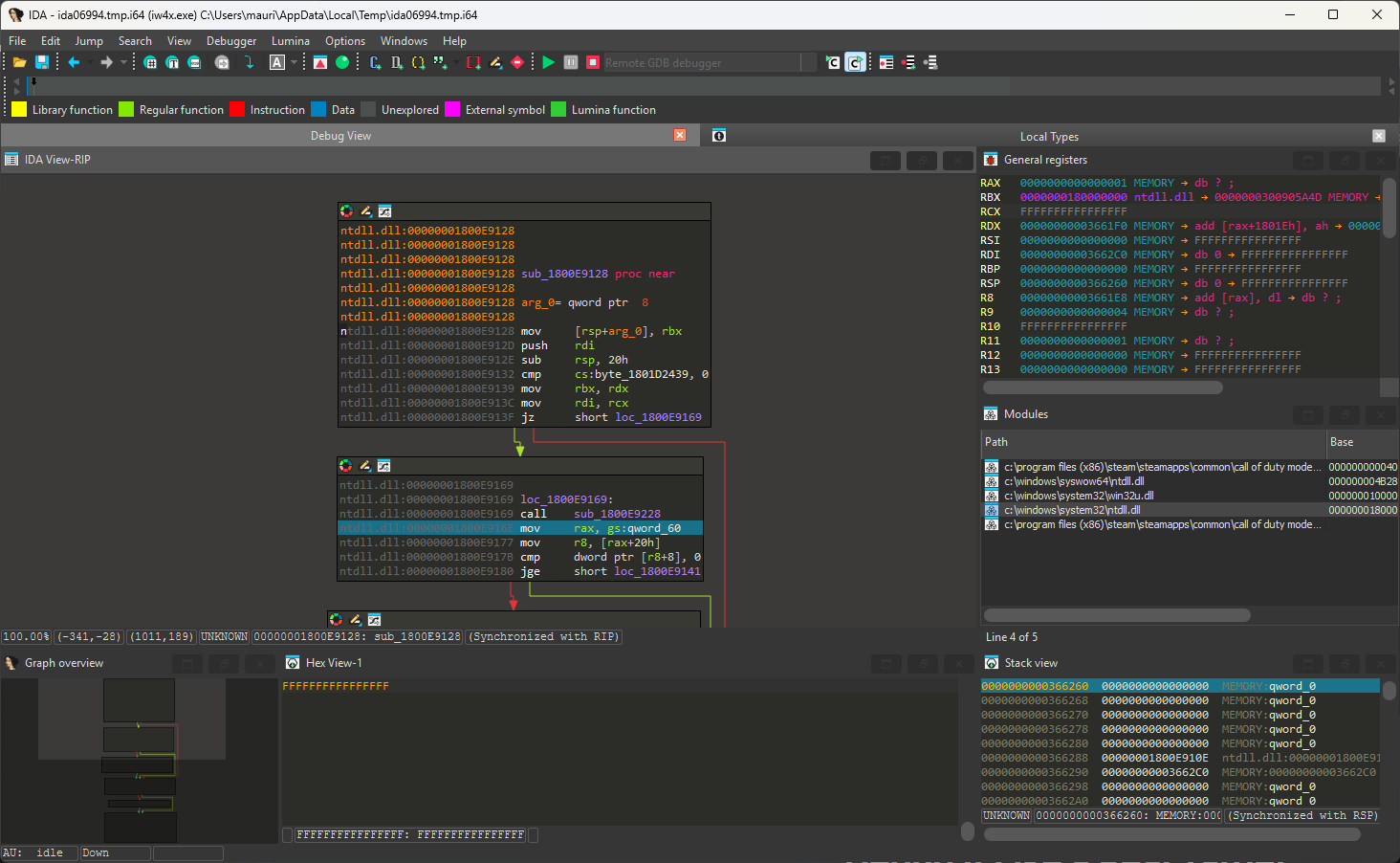
Debug with the tools you already know, like IDA Pro or GDB, over the GDB protocol, or use the built-in in-browser debugger.
The debugger runs at the emulator level, outside the guest process, so no debugger is attached that in-process anti-debug checks could find.
Native GUI apps run, with working windows, dialogs and controls.
GPU paravirtualization enables 3D acceleration on your real GPU, and the Hyper-V backend runs the code natively on your CPU, which is fast enough for games.
Direct3D 8/9/10/11 titles run through DXVK, which translates Direct3D to Vulkan on top of the GPU bridge.

Each backend trades off three properties:
- Security: whether guest memory is isolated from the Sogen host process.
- Speed: how guest code is executed.
- Analysis: suitability for fine-grained instrumentation that the guest cannot observe. Hook availability alone does not imply transparency: hypervisor backends rely on traps and page protection that the guest can notice.
| Backend | Description | Security | Speed | Analysis |
|---|---|---|---|---|
| Unicorn | CPU emulator built on QEMU's code translation. Available on all platforms. | 🟢 Software-isolated | 🔴 Emulated | 🟢 Fine-grained hooks |
| icicle | Rust CPU emulator with a JIT, designed for fuzzing. Available on all platforms in Rust-enabled builds. | 🟢 Software-isolated | 🔴 JIT-emulated | 🟢 Fine-grained hooks |
| WHP (Hyper-V) | Windows Hypervisor Platform: runs guest code in a Hyper-V partition. Available on Windows. | 🟢 Hardware-isolated | 🟢 Native | 🔴 Selective hooks |
| KVM | Linux kernel hypervisor: runs guest code in a virtual machine. Available on x86-64 Linux. | 🟢 Hardware-isolated | 🟢 Native | 🔴 Syscall and CPU traps |
| Hypervisor.framework | Apple's hypervisor API: runs guest code in a virtual machine. Available on macOS. | 🟢 Hardware-isolated for native guests | 🟢 Native | 🔴 Selective execution hooks |
| Umi | Same-ISA binary translator: runs guest code natively inside the Sogen process. Available on x86-64 Windows and Linux in Rust-enabled builds. | 🔴 Shared address space | 🟢 Translated native code | 🟡 Execution and CPU hooks; more planned |
| FEX | Binary translator from x86 and x86-64 to ARM64, inside the Sogen process. Available on Apple Silicon and Android. | 🔴 Shared address space | 🟢 JIT-translated | 🟡 Execution and CPU hooks |
| seccomp | Runs ARM64 guest code directly in the Sogen process and traps syscalls with seccomp. Available on ARM64 Linux and Android. | 🔴 Shared address space | 🟢 Native | 🟡 Execution hooks |
🟢 well suited · 🟡 limited · 🔴 not suited
In short: use Unicorn or icicle for detailed analysis, WHP, KVM or Hypervisor.framework for hardware-isolated execution at native speed, and Umi, FEX or seccomp when speed matters and sharing the host address space is acceptable. Heavy instrumentation, such as a hook on every instruction, slows down any backend.
Select a backend with --backend <name> in the analyzer or backend= in the Python bindings. Backends that share the host address space are not a sandbox: use an isolated backend for code you do not trust. The backend docs in docs list the exact hook support and limitations of each one.
Install with:
pip install sogenPython bindings require an emulation root. You can download a ready-made root here, or create your own by following the instructions in the wiki.
Example:
import sogen

emu = sogen.windows.create_application("c:/test-sample.exe", emulation_root="./root")


def on_module_load(module):
    if module.name.lower() == "test-sample.exe":
        emu.hooks.memory_execution_at(module.entry_point, lambda address: print(f"hit entry point: 0x{address:x}"))

emu.callbacks.on_module_load = on_module_load
emu.start()
print(emu.process.exit_status)
See examples/python/README.md for setup details and a larger example.
Dart bindings are available in a separate repository.
Tip
See the Wiki for details on building and running the emulator on Windows, Linux and macOS.
1. Clone the code:
git clone --recurse-submodules https://github.com/momo5502/sogen.git2. Run the following command in an x64 Development Command Prompt in the cloned directory:
cmake --preset=vs20223. Build the generated solution at build/vs2022/sogen.sln.
4. Create a registry dump by running grab-registry.bat as administrator, and place it in the artifacts folder next to analyzer.exe.
5. Run a program:
analyzer.exe C:\example.exeBy default, the guest has no access to the host network. Guest sockets use an in-process loopback, DNS queries resolve to no addresses, and the Steam bridge is disabled. To give the guest access to the host network, add --network live:
analyzer.exe --network live C:\example.exeThe guest file system is read-only by default, and guest writes fail with STATUS_ACCESS_DENIED. Use
--root-mode rw to let the guest change the emulation root, or the host drives when no root is set. Use
--mount HOST:GUEST[:MODE] to add a host file or directory at a guest path, for example
--mount .\out:C:\out:rw. See docs/filesystem.md for the details of mounts and modes.
Windows ARM64 executables run the same way, from an emulation root created with create-root.bat on a Windows ARM64 machine. They run on WHP on Windows ARM64, on Hypervisor.framework on Apple Silicon and on Unicorn elsewhere.
--backend overrides environment-based selection (see Backends). Outside Windows ARM64, where Unicorn's ARM64 backend is not built, EMULATOR_UNICORN=1 runs ARM64 guests on Unicorn instead of the hypervisor.